Table of Contents
- Start With How You Actually Work
- Choosing Barndominium Floor Plans With Office Space
- Planning a Barndominium Office Layout That Fits
- Home Office Soundproofing and Visual Privacy
- Light, Comfort, and Electrical Planning
- Using Barndominium Floor Plan Design Tools
- Client Access, Permits, and Future Flexibility
- Conclusion
- Frequently Asked Questions
Last Updated: October 23, 2026
Start With How You Actually Work
How to design a barndominium with a dedicated home office starts with one honest question: what does your workday actually look like? Too many owners pick a pretty corner and regret it by month three. The office is a workspace with its own rules, not a spare room with a desk.
Answer these before you look at a single plan:
- Do you take video calls, or is your work mostly quiet and heads-down?
- Do clients ever visit, or is everything remote?
- Do you store tools, files, or equipment that need their own zone?
Write those answers down. They drive every decision that follows.
Match the Office to Your Daily Routine
A voice-heavy job needs walls. A paperwork job needs storage and good light. A workshop-style business needs an exterior door and a floor that can take a beating. List your three busiest work tasks and what each needs, silence, power, space, or a separate entrance. That list becomes your filter for every layout choice.
Track your workday for one week before you design. Note the hours you need quiet, the hours you take calls, and how often you leave the office. Most owners find their real peak hours are nothing like what they assumed.
Choosing Barndominium Floor Plans With Office Space
Barndominium floor plans with office space fall into three broad types: a corner office inside the living area, a room off the main bedroom, and a workspace that connects to the shop. Each solves a different problem.
Here is how they compare:
| Office Type | Best For | Main Trade-Off |
|---|---|---|
| Corner office in open plan | Light work, short calls | Noise from the main room |
| Dedicated interior room | Daily video calls, focus | Loses a window wall |
| Office off the shop | Tool-heavy or client-facing work | Dirt and traffic control |
Most first-time builders pick the corner office because it looks efficient on paper, but it is the weakest choice for anyone who spends hours on calls.
Where the Office Belongs on the Plan
Place the office where it protects the rest of the house. A spot between the living area and the shop buffers dirt, noise, and foot traffic from the family rooms.
Keep these placement rules in mind:
- Put the office away from bedrooms and the main TV wall.
- Give it a window on the north or east side to avoid harsh afternoon glare.
- Set it near an exterior door if clients or deliveries come to you.
If you are still weighing layouts, a guide to choosing a barndominium floor plan walks through the practical decisions that protect your budget and daily routine.
Planning a Barndominium Office Layout That Fits
A barndominium office layout that fits needs three zones: work, storage, and a transition zone at the door. Skip one and the room feels cramped no matter how big it is. The difference between a room that works and one that fights you is usually a handful of inches, clearances, depths, and door swings most floor plans never show.
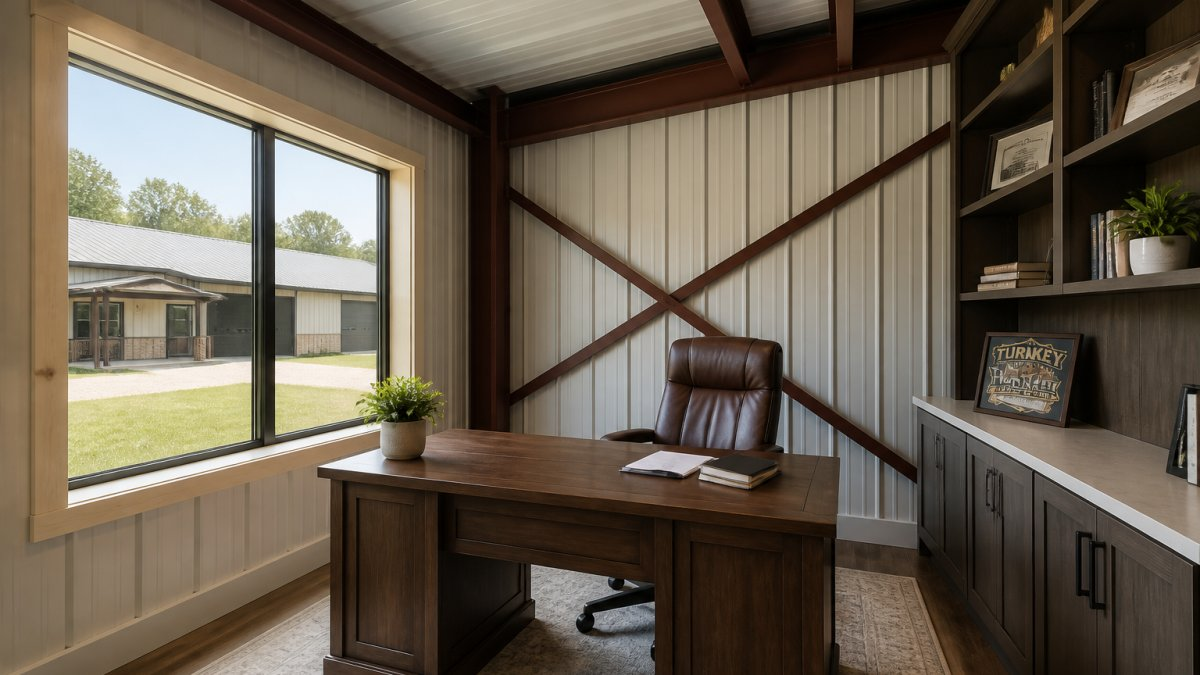
Size the room around your desk and chair first, then add clearances. A standard desk is about 30 inches deep and 60 inches wide, and a task chair needs roughly 36 inches of clear floor behind it.
Sizes, Clearances, and Zones That Work
A small office of about 100 square feet (roughly 10 by 10) handles a desk, a chair, and one shelf wall, fine for solo paperwork and light calls. Step up to roughly 120 to 150 square feet for a guest chair, printer, and file storage; that is the sweet spot for most remote workers. Go to 200 square feet or more if clients visit or you keep equipment on site.
Use these working clearances as your layout rules:
- Primary circulation: 36 inches minimum from desk edge to the nearest wall or cabinet; 42 to 48 inches where a guest chair pulls out.
- Secondary path: 30 inches is workable for a single-person walkway behind a guest chair.
- Door swing: a 32-inch door swinging into the room eats a 32-inch-radius quarter circle, mark it on the plan before you place furniture.
Plan the zones like this:
- Work zone: desk, chair, monitor, and task light. Face the desk toward the door or a side wall, not straight into a window, that avoids screen glare and puts your video-call background on a wall you control.
- Storage zone: shelves, cabinets, and a locked file drawer. Put closed storage behind the camera and open shelving on the wall you face.
- Transition zone: a mat, a coat hook, and a spot for bags or boots. Keep it at least 36 inches wide so two people can pass.
Ergonomics and Video-Call Backgrounds
Ergonomics is a layout decision, not a furniture purchase. Set the desk height so your forearms are level with the work surface (most sit-stand desks adjust from about 28 to 48 inches), and put the monitor top at or slightly below eye level, roughly an arm’s length away.
Task lighting matters more than ceiling fixtures for focused work. Plan a dedicated switched circuit for a desk lamp and under-shelf lighting. If you share the office, plan two work walls rather than one long desk to keep calls and screen privacy separate.
Do not shrink the office to steal space for a bigger closet. Owners who do this end up working from the kitchen table within a year, and the room becomes a junk drawer with a door. A 10-by-10 office with the right clearances beats a 12-by-8 office with none.
Home Office Soundproofing and Visual Privacy
Home office soundproofing in a barndominium comes down to four things: insulation in the walls, solid-core doors, sealed gaps, and distance from noisy rooms. Metal buildings carry sound in ways wood framing does not, bare steel panels and open bays echo. Fill the wall cavities with insulation and the room quiets down fast.
Visual privacy matters just as much. A glass wall looks great until you are on a call and the family walks past. Use frosted glass, a half wall, or shelving as a screen where you need light without the audience.
Quieting an Open-Concept Plan
Open-concept layouts are the hardest to quiet. The fix is a layered approach, not one magic product.
Try these steps in order:
- Frame the office with full-height walls, not a half wall.
- Add insulation to the interior wall cavities.
- Hang a solid-core door with a sweep at the bottom.
- Seal outlets and gaps on the shared wall.
- Add a rug and soft furnishings to cut echo inside the room.
If quiet is a top priority, a guide to soundproofing barndominium rooms goes deeper into wall assemblies and door choices that make open living calmer.
Light, Comfort, and Electrical Planning
Plan the electrical and comfort systems before the slab goes in. Retrofitting outlets, data lines, and ducts later costs far more, and in a metal building the wall and ceiling assemblies make some retrofits genuinely difficult. A few decisions at framing time save years of extension cords and stuffy calls.
Power, Circuits, and Networking
A modern office needs more circuits than most owners expect. Decide before the electrician roughs in the walls:
- Dedicated 20-amp circuits for the computer and monitor setup, and a separate one for a printer or equipment. Laser printers and space heaters pull heavy loads and should not share a circuit with your workstation.
- Outlets on every wall, spaced roughly 6 feet apart, plus a quad outlet at the desk. Plan at least one outlet at counter height for a lamp or charging station.
- A whole-panel surge protector or a dedicated surge device at the panel for sensitive gear. Point-of-use strips do not protect against a large surge.
For Wi-Fi, plan an access point in or near the office rather than relying on a router at the far end of the house. Metal siding and steel framing attenuate signal more than wood framing, so a wired backhaul to a ceiling-mounted access point is the reliable pattern. If you want smart lighting or motorized shades, run a neutral wire to every switch box now.
HVAC, Ventilation, and Glare
An office sealed off for calls gets stuffy fast. A closed door stops the return-air path a central system depends on, so plan one of these:
- A return-air transfer grille or a jump duct above the door to let air back to the main return.
- A ducted supply and return sized for the room if the office is far from the air handler.
- A ductless mini-split for independent temperature control, useful if the office is over a shop or on an exterior corner that runs hot or cold.
Zoning matters if you work odd hours. A zoned system or a mini-split lets you condition the office without heating or cooling the whole house.
Daylight is the other comfort lever. Angle the desk toward the window rather than straight into it, and plan roller shades or exterior shading for west and south walls that take afternoon sun. Screen glare is a layout and shading problem, not a monitor problem.
The cheapest time to add outlets, data conduit, a return-air path, and a dedicated circuit is during framing. Every one of these is a small line item then and a messy, expensive job later, especially in a metal building where exterior walls are finished assemblies.
If you are comparing plans, look for layouts that already show outlet and data locations, and browse barndominium floor plans that include a shop-side office. We may earn a commission if you buy through this link.
Using Barndominium Floor Plan Design Tools
Barndominium floor plan design tools let you test layouts before you commit. A 3D floor planner shows how furniture fits, where doors swing, and how traffic moves. Use the tool in this order:
- Draw the shell and mark the exterior doors.
- Drop in the office walls and the door swing.
- Place the desk, chair, and shelves to scale.
- Walk the path from the entry to the office.
- Check window placement against your daily light.
Most owners sketch three or four versions before landing on one, far cheaper than changing walls after the build. For the practical decisions that protect your budget, routine, and privacy when picking a plan, see how to choose a barndominium floor plan.
When you are ready to compare real layouts, you can browse barndominium floor plans and save 10% with code STOCKPLANSLUKE. We may earn a commission if you buy through this link.
Client Access, Permits, and Future Flexibility
Client access changes the design. If people visit your office, give them a path that does not run through the kitchen.
Permits come next. The U.S. Small Business Administration’s home business guidance is a useful starting point for zoning questions.
Build in flexibility while you can. A room framed with a wider door and a closet can become a bedroom later.
Plan for the future now:
- Frame the door wide enough for a future bedroom use.
- Add a closet even if you do not need one yet.
- Run conduit for future data and power.
When you are ready to move forward, you can get a free metal building quote and connect with building professionals who work in your area.
Conclusion
The hardest part of designing a barndominium office is not the drawing, it is deciding how you really work, then building the room around that answer. Get placement, sound control, and the electrical plan right during framing, and the office will serve you for years.
At Turn Key Floorplans, we help you compare customizable plans by bedroom count, square footage, and features, and we connect you with a network of general contractors who specialize in metal buildings.
Frequently Asked Questions
Where should a home office go in a barndominium floor plan?
Put the office where it gets the most separation from bedrooms and the main living area. A corner near the entry or beside the shop wall usually works well because it limits foot traffic past your desk. If you take client calls, keep it away from the kitchen and laundry. If you need daylight, aim for an exterior wall with a window. Decide this before you finalize barndominium floor plans with office space, because moving walls later costs far more than planning them up front.
How much space do you need for a dedicated home office?
A workable dedicated office starts around 100 to 120 square feet, which fits a desk, chair, shelving, and a small meeting corner. If you host clients or keep a printer and file storage, plan closer to 150 square feet. A barndominium office layout that doubles as a guest room needs more, usually 150 to 180 square feet to fit a Murphy bed or sleeper sofa without crowding the desk. Measure your current desk and chair clearance before you commit to a size.
How can you make a barndominium office quieter?
Home office soundproofing starts with the walls. Insulate interior office walls, seal gaps around outlets and doors, and use solid-core doors instead of hollow ones. A double layer of drywall on the shared wall adds mass. For an open-concept plan, a glass partition with a solid door keeps sightlines while blocking noise. Rugs, curtains, and upholstered furniture absorb echo inside the room. Plan these details during construction, since adding insulation and sealing later means opening finished walls.
Should a barndominium home office have a separate entrance?
A separate entrance helps if clients, patients, or delivery drivers visit regularly. It keeps visitors out of your living space and gives the office a professional feel. The trade-off is extra cost for a door, walkway, and sometimes a small porch. If you rarely meet people in person, a standard interior door near the entry is enough. Talk with your builder about how a side door affects the exterior plan, and check local zoning rules before you add a business entrance.

Leave a Reply